Tool Review · March 2026
Flora AI review: node-based workflows for brand production.
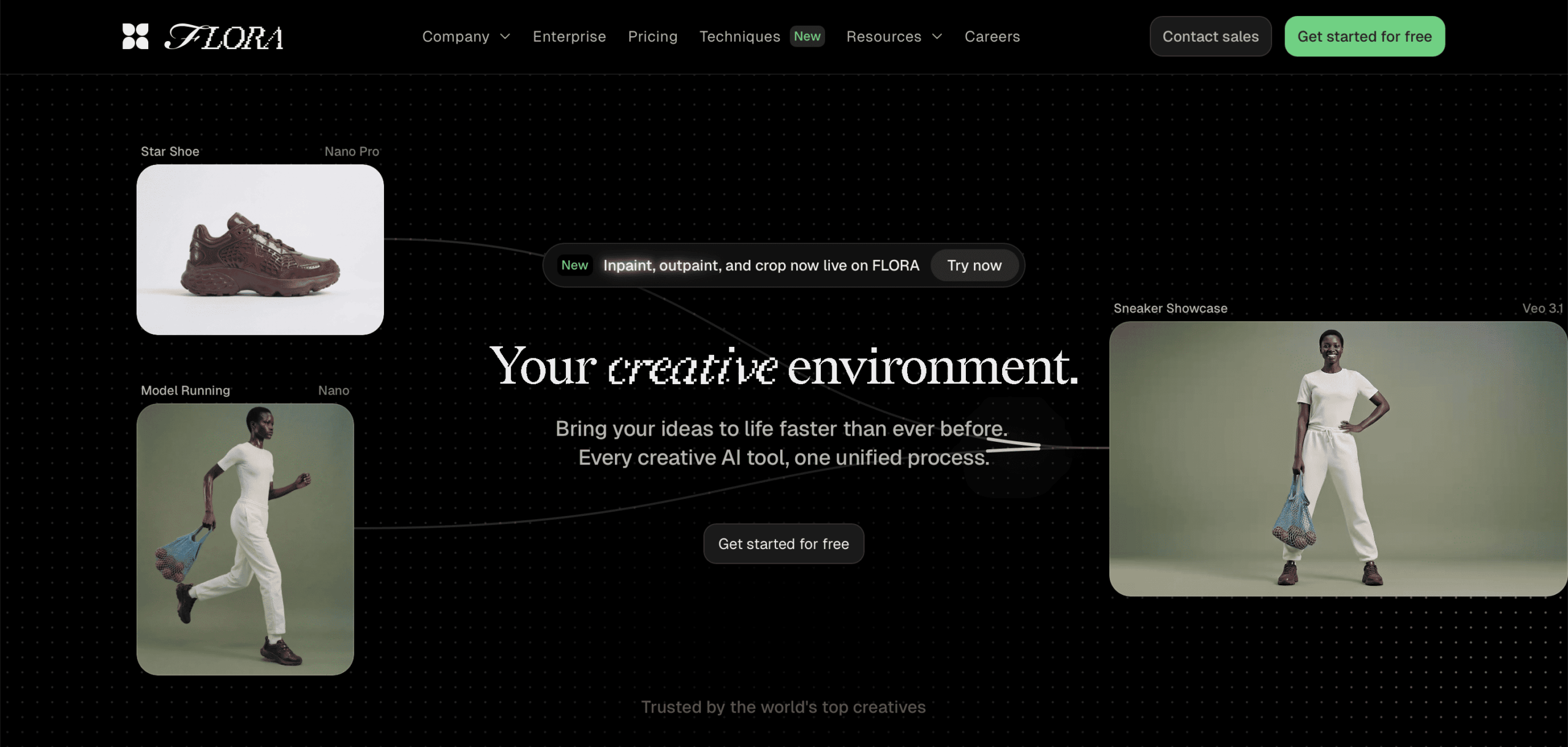
Flora AI — officially Flora Fauna — has quickly become one of the most talked-about creative AI platforms in 2026. Backed by $42 million in Series A funding from Redpoint Ventures and used by agencies like Pentagram and studios at Lionsgate, it positions itself as the first "AI-powered creative workflow system." In other words, it's not just an image generator — it's an entire creative environment built around node-based workflows.
We tested Flora AI for brand visual production at Memorable Studio. Specifically, we wanted to understand whether its Style DNA system and node-based canvas could deliver the kind of brand-consistent results our clients need. Here's what we found.
Disclosure: We have no affiliation with Flora AI. We paid for our own subscription. This review reflects our genuine experience using the platform for professional brand visual production.
What Flora AI actually is
Flora AI is a node-based creative canvas where you build visual workflows by connecting blocks. Each block represents an AI operation: text generation, image creation, video production, image analysis, or editing. You wire them together to create repeatable creative pipelines.
Think of it as ComfyUI's power with Figma's polish. The interface sits somewhere between a mind-map tool and a professional design environment. However, unlike ComfyUI, Flora is entirely browser-based — no local GPU required, no technical setup.
The platform integrates over 50 AI models, including Flux 2 Pro, Seedream 4.5, Nano Banana Pro, GPT-5, Google Gemini 2.5, Kling, and Veo 3.1. As a result, you can select the best model for each specific task within the same canvas. For example, you might use Flux for photorealistic generation, then pipe the output into Seedream for cinematic colour grading, then upscale for print — all in one visual pipeline.
What we tested: brand campaign production
We used Flora for a fashion client who needed a consistent visual language across 30+ campaign assets. The key challenge was maintaining aesthetic coherence — same lighting logic, same colour temperature, same compositional grammar — across lifestyle, product, and social formats.
Style DNA: Flora's standout feature
This is where Flora genuinely differentiates itself from competitors. The Style DNA system lets you upload reference images that represent your brand's visual identity. Flora analyses the lighting, colour grade, textures, and mood, then applies that aesthetic consistently across all subsequent generations.
For brand work, this is significant. Instead of writing increasingly complex prompts to maintain consistency, you define the look once and the system carries it forward. In our testing, the style transfer accuracy was remarkably high — roughly 85% of generations required only minor post-production adjustments to match the validated art direction.
In comparison, achieving similar consistency in Freepik Spaces requires more manual prompt engineering and careful model selection. Flora's approach is more elegant for solo art directors who want to "set the DNA and let the system work."
The node-based canvas: powerful but demanding
Flora's canvas is genuinely powerful for building complex creative pipelines. We constructed a workflow that went from text concept through image generation, style transfer, upscaling, and format adaptation — all visible as connected blocks on the canvas.
The visual traceability is Flora's secret weapon. When something goes wrong, you can see exactly which node caused the issue. You tweak one parameter without rebuilding the entire chain. For iterative brand work where you're refining a look across dozens of variations, this saves considerable time.
However, the learning curve is real. Even for someone comfortable with Figma, understanding how to build efficient multi-step pipelines takes experimentation. Expect to invest a full day before you're productive. Furthermore, Flora's templates are fewer than Freepik's, so you're often building from scratch.
Where Flora falls short
Collaboration is limited. Flora offers commenting and workflow sharing, but it's not real-time co-editing in the way Freepik Spaces or Figma works. For a solo creative director, this doesn't matter. For a team of 4+ people producing a campaign simultaneously, it's a bottleneck.
Credit consumption on video models is expensive. Generating even short video clips with Kling or Veo 3.1 consumes credits rapidly. As a result, if your workflow involves significant video production, budget accordingly or consider supplementing with a dedicated video platform.
No built-in character system. Unlike some competitors, Flora doesn't have a dedicated character consistency feature. You build character consistency manually through reference images and Style DNA, which works but requires more effort.
The gap between generation and publishing is real. Flora excels at generating and iterating, but getting from finished images to published campaign assets still requires separate tools for final formatting, copywriting, and platform-specific adaptation.
Flora AI vs the alternatives
vs Freepik Spaces: Freepik has broader model access (30+ models with unlimited fast gens on Premium+), more mature collaboration features, and a larger template library. However, Flora's Style DNA system is more sophisticated for maintaining brand aesthetics. For solo creators prioritising creative control, Flora edges ahead. For teams prioritising collaboration and volume, Freepik wins.
vs Midjourney: Midjourney still produces superior artistic output for hero images. But it's a "black box" — you can't easily change one specific detail without starting over. Flora gives you a visual map of every creative decision, making it better for systematic production. Use Midjourney for inspiration, Flora for execution.
vs ComfyUI: ComfyUI offers maximum technical control and runs locally. Flora offers similar node-based logic but in a polished, browser-based environment that's accessible to non-technical creatives. If you need absolute pipeline control and have the hardware, ComfyUI remains superior. If you want node-based power without the technical overhead, Flora wins.
Pros and cons
- Style DNA system is excellent for brand consistency
- Visual traceability makes debugging workflows easy
- 50+ AI model integrations in one canvas
- Node-based system gives precise creative control
- Credit rollover prevents waste on unused allocations
- Inpaint and outpaint tools now built-in
- Clean, polished interface that respects creative professionals
- $42M backing and Pentagram usage signal long-term viability
- Collaboration is not real-time co-editing
- Steeper learning curve than Freepik Spaces
- Fewer templates to start from
- Video model credits drain fast
- No dedicated character consistency feature
- Gap between generation and final publishing
- Free tier (1,000 credits) runs out in one serious session
- Enterprise pricing requires contacting sales
Who should use Flora AI
It's ideal for: Solo creative directors, art directors, and advanced designers who want precise control over AI-generated brand visuals. Particularly strong for building repeatable workflows where aesthetic consistency is non-negotiable. Also well-suited for agencies like Pentagram that need to maintain distinct visual identities across multiple client projects.
It's not ideal for: Teams needing real-time co-editing (use Freepik Spaces instead). Beginners who want quick results without building workflows (use Midjourney). Content teams focused on volume over precision (use Freepik Spaces with templates).
Memorable Studio verdict
Pricing overview (March 2026)
Flora uses a credit-based system. All models and features are available on every plan — you're paying for credits, not capabilities.
Free: 1,000 credits to explore the platform. Full access to all models. No credit card required. Enough for a quick test, not for real production.
Pro: $16/month (annual) — 20,000 credits/month. Supports roughly 1,000 image generations or 100 video creations. Credit rollover included. This is the sweet spot for solo professionals.
Agency: $48/month (annual) — higher credit allocation, team collaboration features, shared workspaces. For small to mid-size creative teams.
Enterprise: Custom pricing. Dedicated account management, priority support, onboarding sessions, custom workflow development. For large organisations.
Credit packs available as one-time purchases (never expire). Annual subscribers get up to 30% off additional credit packs.
Our recommendation: The Pro plan at $16/month is excellent value for solo creative directors. The credit rollover is a smart feature that Freepik doesn't match on lower tiers. For agencies, however, the $48/month plan's collaboration features are still a step behind Freepik Spaces' real-time co-editing. Evaluate based on whether you need creative control (Flora) or team workflow (Freepik).
FAQ
Flora offers 1,000 free credits with full access to all models. However, this runs out in one serious session. The Pro plan at $16/month (annual) is the realistic starting point for professional use.
They serve different strengths. Flora excels at creative control and brand consistency through Style DNA. Freepik Spaces has better collaboration, broader model access, and more templates. For solo brand work, Flora edges ahead. For team production, Freepik wins. Read our Freepik Spaces review.
For systematic campaign production, yes. Flora offers reusable pipelines and brand consistency that Midjourney cannot. However, Midjourney still produces superior artistic results for hero images. Many professionals use both: Flora for production, Midjourney for inspiration.
Over 50 models including Flux 2 Pro, Seedream 4.5, Nano Banana Pro, GPT-5, Kling, Veo 3.1, and many others for image, video, and text generation. The multi-model hub lets you select the best model for each task within the same canvas.
Pro at $16/month (annual) with 20,000 credits is the sweet spot for solo professionals. Agency at $48/month adds team features and higher credits. Enterprise plans with custom pricing are available for larger organisations.
learning the tools?
Related reviews: Freepik Spaces Review · Higgsfield AI Review · Midjourney for Brands · Best AI Image Generators 2026